Image Image Image Image Image
Scroll to Top

To Top

Information Resources

06

May
2013

Information Resources

Permalink

By admin404

WordPress Video Thumbnails and Facebook

May 6, 2013 - Information Resources

Video Thumbnails (also called “Poster Movies” by Quicktime and “Poster Images” by other video services) are the photos that are displayed in a video player before a video is activated and/or while the video is buffering.

If your blog is built on WordPress, and your videos are hosted on YouTube, you’ll notice that Facebook’s “Like” and “Send” buttons will rather liberally “scrape” (Facebook’s version of spidering and indexing) the article you posted. If you have the WordPress SEO plugin installed, you’re given some greater control over the granularity of your meta. But neither the WordPress core nor this popular plugin currently has a handler for passing YouTube video thumbnails to your social networks via Open Graph. For posts that are videos with only a few words of supplemental copy, Facebook users may not be enticed to click these shared links if they don’t include video thumbnails.

Until WordPress SEO updates its image handlers, here’s a quick, easy trick to extract a video ID from your YouTube embed code and use it to pass a thumbnail to Facebook via the YouTube API.

Find the file class-opengraph.php, typically here:
http://www.yourdomain.com/wp-content/plugins/wordpress-seo/frontend/class-opengraph.php

Jump to around line 264, in the function called “image”, and you’ll find the following code:

...	if ( preg_match_all( '/<img [^>]+>/', $post->post_content, $matches ) ) {
		foreach ( $matches[0] as $img ) {
			if ( preg_match( '/src=("|\')(.*?)\1/', $img, $match ))
			$this->image_output( $match[2] );
		}
	}		
}

Add a little chunk of code to search for video embeds, and include thumbnails among the Open Graph meta properties, if they’re found.

...	if ( preg_match_all( '/<img [^>]+>/', $post->post_content, $matches ) ) {
		foreach ( $matches[0] as $img ) {
			if ( preg_match( '/src=("|\')(.*?)\1/', $img, $match ))
			$this->image_output( $match[2] );
		}
	}
 
	if (preg_match_all("#(?<=v=)[a-zA-Z0-9-]+(?=&)|(?<=v\/)[^&\n]+(?=\?)|(?<=v=)[^&\n]+|(?<=youtu.be/)[^&\n]+#", $post->post_content, $matches)) {
		foreach(array_unique($matches[0]) as $m) $this->image_output("http://img.youtube.com/vi/{$m}/0.jpg");
	}		
}

There is no need to republish your posts or rescrape your page using Facebook’s Debugger. Just reload your browser, share the post on Facebook, and your problem is solved.

Tags | facebook, plugin, wordpress, wordpress seo, youtube

05

Mar
2013

Information Resources

Permalink

By admin404

Apache Mod_Rewrite for Vanity URLs

March 5, 2013 - Information Resources

Ever wondered how web services like Twitter (twitter.com/era404), Facebook (facebook.com/era404), and MySpace (currently: new.myspace.com/era404) are able to serve vanity URLs for their numerous users? The answer is in the rewrite.

Working with URL rewriting (namely: Apache’s mod_rewrite, a rule-based rewriting engine) can be a little bit confusing. LiquidWeb Hosting’s stellar technical support team passed the inquiry from tech-to-tech before a solution was found. This solution was further polished by ERA404 systems guru, Tony Muka, and is explained below.

 
What are the rules?

We mentioned “rule-based” when describing this Apache module. So what are the rules?

1. Ignore files that already exist on your web-space (index.htm, logo.png, and so on).

RewriteCond %{SCRIPT_FILENAME} !-f

2. Ignore directories that already exist on your webspace, too (image folders, script folders, and so on).

RewriteCond %{SCRIPT_FILENAME} !-d

3. For everything else, let’s pass anything after the base URL as an argument to your backend script to do whatever magic you wish to do. Now this is the confusing part because (unlike the previous two rules) it’s written in something that looks like Q*bert gibberish. Let’s have a look at that last rule.

RewriteRule ^([^/]+)/?(.*)$ /?user=$1&$2

Notice that this rule starts with “RewriteRule” and not “RewriteCond[ition]“. This is where we ask Apache to rewrite the URL if the first two conditions aren’t met—that is to say, it will only rewrite URLs for non-existent files and directories. Here’s a little breakdown of what will happen when you’ve put this instruction set on your web server:

This Requested URL Rewrites to Because
     
domain.com/index.htm (no rewrite) …this file actually exists
     
domain.com/images/ (no rewrite) …this directory actually exists
     
domain.com/username domain.com/?user=username No file or directory exists
named “username”
     
domain.com/username
&action=profile
domain.com/?user=username
&action=profile
No file or directory exists
named “username”

 
With this last requested URL, you can see the power of Apache’s mod_rewrite, because we can technically provide instruction for your handler scripts to do anything you need them to do. In this usage, a username is passed, as well as an action to present the profile page. This methodology can be used in countless scenarios where a long, cumbersome URL can be compacted, such as REST requests, XML requests, and so on.

 
Putting it All Together

# address translation for user URLs
RewriteEngine on
RewriteBase /
# look for url/username or url/username/ and translate to url/?user=username
# maintain all other passed arguments
RewriteCond %{SCRIPT_FILENAME} !-f
RewriteCond %{SCRIPT_FILENAME} !-d
RewriteRule ^([^/]+)/?(.*)$ /?user=$1&$2

Simply put this script into a text document, name it “.htaccess” and drop it into your webserver’s root directory. Make sure that Apache’s mod_rewrite module is activated on your HTTP server’s configuration (it usually is), and you’ll be all set to rewrite some URLs.


Tags | .htaccess, apache, engine, mod, request_filename, REST, rewrite, rewritecond, rewriteengine, rewriterule, script_filename, uniform resource locator, url, xml

04

Mar
2013

Information Resources

Permalink

By admin404

Google Author and Publisher Tags

March 4, 2013 - Information Resources

Google is piloting the index of author and publisher information in search results to help users discover content created by you on the various blogs and news sites on which you contribute. Adding an “author” tag to your blogs and news articles, or a “publisher” tag to your corporate news articles, press releases, and informational resources (such as this one) can help link users to additional articles on your site, or other sites, which you’ve written. The advantages to these new tags are apparent, especially considering how easy they are to implement.

1. Google Author Tag

Google Author Tag Example

If you want your authorship information to appear in search results for the content you create, you’ll need a Google+ Profile with a good, recognizable head-shot as your profile photo. Then, verify authorship of your content by associating it with your profile using either of the methods below. Google doesn’t guarantee to show author information in Google Web Search or Google News results and it could take anywhere from two weeks to three months before these pages are indexed and returned among results.

Option 1: Link your content to your Google+ profile using a verified email address.

Don’t have an email address on the same domain as your content? Follow the instructions listed in Option 2 below.

  1. Check that you have a email address (for example, don@mypersonalwebpage.com) on the same domain as your content (mypersonalwebpage.com).
  2. Make sure that each article or post you publish on that domain has a clear byline identifying you as the author (for example, “By Don Citarella” or “Author: Don Citarella”).
  3. Visit the Authorship page and submit your email address to Google. No matter how many articles or posts you publish on this domain, you only need to do this process once. Your email will appear in the Contributor to section of your Google+ profile. If you want to keep your email private, change the visibility of your link.
  4. To see what author data Google can extract from your page, use the structured data testing tool.

Option 2: Set up authorship by linking your content to your Google+ profile

  1. Create a link to your Google+ profile from your webpage, like this:
      
    <a href="[profile_url]?rel=author">Google</a>

    Replace [profile_url] with the your Google+ profile URL, like this:

      
    <a href="https://plus.google.com/109412257237874861202?rel=author">Google</a>

    Your link must contain the ?rel=author parameter. If it’s missing, Google won’t be able to associate your content with your Google+ profile.

  2. Add a reciprocal link back from your profile to the site(s) you just updated.
    1. Edit the Contributor To section.
    2. In the dialog that appears, click Add custom link, and then enter the website URL.
    3. If you want, click the drop-down list to specify who can see the link.
    4. Click Save.
  3. To see what author data Google can extract from your page, use the structured data testing tool.

If you don’t want your authorship information to appear in search results, edit your profile (using http://plus.google.com/me/about/edit), and make sure the Profile discovery option Help others discover my profile in search results is unchecked.


2. Google Publisher Tag

Google Publisher Tag

Google+ Pages provides businesses, products, brands, entertainment and organizations with an identity and presence on Google+.

If you’ve created a Google+ page, they strongly recommend linking from that page to your website and vice versa. Linking your Google+ page and your site not only helps you build credibility (and readership) with friends and followers, but also gives Google information they can use to determine the relevancy of your site to a user query in Google Web Search. It also makes your site eligible for Google+ Direct Connect.

Link your Google+ page and your website

  1. Make sure that your site’s home page is available to appear in Google’s search results and isn’t blocked by a meta noindex tag or by your robots.txt file. (Verify by doing a site:search for your domain, like this: [site:example.com]. You can also use the Fetch As Google tool to see your page exactly as Google sees it.)
  2. Update your site’s home page by adding a link to your Google+ page, like this:
    <a href="https://plus.google.com/[yourpageID]" rel="publisher">Find us on Google+</a>

    To find your page URL, open your page and copy the web address from the browser address bar.

    It’s best to add the link to your most significant page. Usually (but not always) this is your home page; for example, if you’ve created a page for a product, you can add the link to the product description page.

  3. Link to your website from your Google+ page’s profile. To edit your page profile:
    1. Make sure you’re on the Google+ page you’d like to edit.
    2. Click the profile icon .
    3. Click Edit Profile.
    4. Click Website. You’ll know it’s editable when the color of the section changes to blue.
    5. Type your homepage URL. This should match exactly the URL of the page to which you added your Google+ page link in step 1.
    6. Click Save.
  4. (Optional) Verify your business or brand with Google.
  5. Use the rich snippets testing tool to check your markup and make sure that Google can extract your page information from your content. This tool will display the markup found on a specific web page, as well as a preview of how that page might appear in Google search results. Learn more.

Tags | author, contribute as, contributor to, google, mark-up, publisher, rich snippets, structured data testing too, tag

18

Feb
2013

Information Resources

Permalink

By admin404

Twitter Cards

February 18, 2013 - Information Resources

If you’re an avid user of Twitter, you’ve probably noticed the new links that show up on the bottom of certain tweets in your feed. The links say “View Summary” and allow you to read the title and excerpt of an article, along with a thumbnail of the article’s featured image. Those links are called Twitter Cards, come in three different varieties: summaries, photos, and player, and have two different layouts:  web and mobile.

Twitter Cards help increase your visibility and encourage users to click to your site by providing more information beyond Twitter’s 140 character limit. Furthermore, design and development studios with Twitter Card functionality built into their site can provide a working example for clients to see how the same functionality can be implemented into their sites.

ERA404 Twitter Card Example

ERA404 Twitter Card Example

As with most of Twitter’s APIs, Twitter cards are fairly quick to implement. All you need to do is insert some metadata, test, and apply to participate. To make things even easier, Niall Kennedy has created a WordPress plug-in to automatically scrape your post’s title,  permalink, description and image URL for summary Twitter cards. After installing and activating the plug-in, preview your Twitter card by pasting the post’s URL into their preview page.

Lastly, you’ll need to apply to participate. Simply enter your site and contact information here and Twitter will reply within 5-10 business days.

Tags | niall kennedy, process, tutorial, twitter cards, view summary, wordpress plug-in

18

Feb
2013

Information Resources

Permalink

By admin404

Above the Fold

February 18, 2013 - Information Resources

When creating mechanicals for website strategy, or Strategic UI/UX, we often make recommendations for content that should be visible above the fold. In the context of Web search/usage, the term above the fold refers to the part of the web page a user can see without having to scroll down or use the scroll bar within their web browser. In general, this space is at the top of a Web page, and is considered prime real estate for visibility and getting information seen most efficiently. The term, itself, is derived from the web’s ephemeral predecessor, the newspaper, in which the most poignant stories—the ones that would be more likely to sell that particular newspaper over competing papers—were those that were above the crease on Broadsheet or Berliner sized papers. Web strategists use the term above the scroll interchangeably with above the fold.

As browser resolutions increase, the fold mark keeps changing. In 2013, 25.4% of the world was browsing at 1366×768, as opposed to only 18.7% in 2012. And the growing availability of mobile phones and tablet devices, such as iPads, has changed the landscape to a point where we can no longer rely on a majority resolution and location of the fold. As a result, we recommend fluid, responsive layouts that accommodate for the broadest range of resolutions possible. Not only does this help clients to be able to see the most important content, while helping them to sell their services over their competitors’, but it also helps us to reorganize and strategize content based on the different types of users. For instance, a user on a phone may be more interested in contact information, a tablet user may want to read topical news or view videos, and a desktop user may want more in-depth articles and research information. Responsive layouts help gear the content toward these different demographics and re-organize what’s seen above the various folds.

That said, we’re currently in the age of Cinema (16 x 9 resolutions) and Retina (2x Device Pixel Ratios) displays. With iOS’s dock protruding into the available horizontal space and retina’s ability to scale content by pinching, the confusion over the floating fold mark is mired further.

With the one caveat that the rapidly changing environment may soon render this outdated, our recommended fold mark remains 645px for landscape orientations (with allowance for a persistent bookmarks bar) and 900px for portrait.


Examples of our testing can be seen below:

Safari Landscape

Safari Landscape

Chrome Landscape

Chrome Landscape

Safari Portrait

Safari Portrait

Chrome Portrait

Chrome Portrait

Safari Landscape - Bookmark Bar

Safari Landscape – Bookmark Bar

If you’re interested in learning more about fold lines, Strategic UI/UX or the changing landscape of the web, drop us a line to initiate a conversation.

Tags | above the fold, above the scroll, berliners, broadsheets, design, develpment, mechanicals, orientation, resolution, standards, strategy, tabloids, website, wireframes

12

Feb
2013

Information Resources

Permalink

By admin404

Scoping a Project

February 12, 2013 - Information Resources

Every year, long before the ice thaws and the ground softens, my father takes a cup of coffee out to the farthest corner of the yard and studies a medium-sized rectangle of roped off terrain that will become his garden. The footage is limited, living in a modest suburb in Michigan, but in his mind, the objectives are organized into columns and rows.

  • Anxiety: What environmental factors should be concern me?
  • Trust: Will I get out what I put in?
  • Expectations: What level of commitment should I prepare for, in terms of budget? Labor? Upkeep?
  • Comfort: What is a realistic yield for an endeavor of this size?

When you break ground on any mission that will require your time, energy, and resources, he knows that a solid foundation, and thorough, comprehensive planning will make all the difference in the determination of your project’s fruitfulness.

The importance of well-written production scope has always been easy to communicate and readily received, but for unknown reasons, this document is all-too-often missing from RFPs. And while my father’s garden may seem an odd metaphor for web and application development, it should show that we scope non-web projects all the time without realizing. And his garden is a reasonably good visual for putting a scope into somewhat relatable terms, demonstrating its necessity, and giving a little color to a rather dry subject for backyard reading.

Tags | application, application scope, blueprint, digital, organization, planning, preparation, project scope, scope, scope diagram, site scope, spreadsheet, strategy, web, web site

23

Oct
2012

Information Resources

Permalink

By admin404

Disabling Caching with .htaccess

October 23, 2012 - Information Resources

For our friends and fellow designers who would rather not have to perpetually clear browser cache while fine-tuning CSS, Actionscript, ads or procedural images, you might want to have a look at the following apache/.htaccess directive:

<filesMatch "\.(html|htm|js|css)$">
FileETag None
<ifModule mod_headers.c>
Header unset ETag
Header set Cache-Control "max-age=0, no-cache, no-store, must-revalidate"
Header set Pragma "no-cache"
Header set Expires "Wed, 11 Jan 1984 05:00:00 GMT"
</ifModule>
</filesMatch>

This little trick, courtesy of AskApache, here:
http://www.askapache.com/htaccess/using-http-headers-with-htaccess.html

Tags | .htaccess, apache, browser, caching, clear, conf, disable, httpd, perpetual, persistent

15

Oct
2012

Information Resources

Permalink

By admin404

Twitter API Update Causes WordPress Widget Problem

October 15, 2012 - Information Resources

WordPress siteholders that are using a Twitter widget that requires blogger.js, might want to consider the following link:

https://dev.twitter.com/docs/api/1/get/statuses/user_timeline

which reads:

Deprecation notice!
Version 1 of the API is now deprecated. This document may describe an outdated version of the API. Please move to Version 1.1 of the API as soon as possible.

This script used to return a JSON object of recent tweets on a user timeline.

A quick fix would be to find the line in your widget (typically a PHP file) that makes a browser request to this URL and update it accordingly to the new API (v1.1).

For example, if your Twitter username is “era404” you would find:

<script type="text/javascript" src="http://twitter.com/statuses/user_timeline/era404.json?callback=twitterCallback2&count=4"></script>

And replace it with:

<script type="text/javascript" src="https://api.twitter.com/1/statuses/user_timeline.json?callback=twitterCallback2&screen_name=era404&count=4"></script>

The callback may be named something different, depending on the plugin in use, however this is how the function is called when using blogger.js.

Tags | blogger.js, quick-fix, twitter, widget, wordpress

07

Oct
2012

Information Resources

Permalink

By admin404

A Decade of Lessons in Small Business Management

October 7, 2012 - Information Resources

As we round third plate to complete our 10th year of business at era404, it’s impossible not to reflect upon the previous decade’s successes and lessons. In fact, despite the enormous pride we have for our successes—the awards we’ve won, the opportunities we’ve been afforded, the pieces we’ve created—it was in the lessons that our company grew the most. We can only assume that the same way the triumphs and tribulations of a child’s first ten years shape his or her personality, a business uses its own experiences to analyze the risks it will take and the directions it will pursue.

The first ten years weren’t always easy. Read more…

Tags | awards, design, development, education, failure, lesson, opportunities, recommendations, reflection, small business, strategy, success, tips, tribulations, tricks, triumps

20

Aug
2012

Information Resources

Permalink

By admin404

Introducing Penguin

August 20, 2012 - Information Resources

Social engagement, rather than search engine trickery, yields top Google results.

We all know about Google’s algorithm, Panda. Launched around February of 2011, its artificial intelligence enforced the best practices guidelines Google had long provided to those seeking to optimize their websites. Their new algorithm, Penguin, created much stronger methods of preventing websites from tricking search engines into ranking them ahead of their competition. The update emphasized the importance of quality content, originality, and overall user experience. What does this mean? Stop focusing on technology and tricks and start focusing on people. If your website appeals to people, it will appeal to Google’s algorithms too.

But the Panda and Penguin messages go deeper. A brand’s website isn’t the only place on the Web it needs to maintain a strong presence. Search engines are placing an increasing importance on how social media services influence their ranking of brand web sites.

Learn more about the importance of Facebook, Twitter, YouTube, Pinterest, LinkedIn and Google Plus in terms of how to maintain or ameliorate your Google Pagerank:

SEO Isn’t What You Think It Is (Fast Company)

Illustration by Ricardo Tercio

Tags | algorithm, brand, facebook, fast company, google, google plus, linkedin, optimize, pagerank, panda, penguin, pinterest, rank, ranking, search engine, seo, twitter, youtube

27

Jun
2012

Information Resources

Permalink

By admin404

23 Tips for Optimizing a Blog’s Google Sitelinks

June 27, 2012 - Information Resources

What are Sitelinks?

The links shown below some of Google’s search results (1), called sitelinks (2), are meant to help users navigate sites. Indexing is the process by which search providers scan websites to extract the information that may be potentially searched by users to properly organize each site among relevent results. Google’s indexer analyzes the link structure of each site to find shortcuts that will save users time and allow them to quickly find the information they’re searching.

Google only shows sitelinks for results when they think they’ll be useful to the user. If the structure of the site doesn’t allow their algorithms to find good sitelinks, or they don’t think that the sitelinks for the site are relevant for the user’s query, Google won’t show them. At the moment, sitelinks are automated, but there are best practices site owners can follow, however, to improve the quality of their sitelinks.


Best Practices to Improve the Quality of Sitelinks

  1. Submit Site’s URL : The first and foremost step is to submit the site’s URL to Google and as many search engines as possible.
  2. Use Google Webmaster Tools : It helps to improve and understand the site, connect with visitors, and find answers to crawling. Site owners can also check many SEO-related issues about the site here as well as “demote” an existing sitelink. Do this by selecting a site profile and clicking “Sitelinks” inside the “Configuration” section.
  3. Remove Broken Links : If the site is a WordPress blog, site owners can try Broken Link Checker plugin or  try Google Webmaster Tools. Removing broken links helps substantially.
  4. Repair HTML Errors : Since Google wants the site to be clean and tidy, site owners should remove all the HTML error tags and codes. Try the W3C HTML Validation Service.
  5. Repair CSS Errors : Similarly for CSS errors, remove all the problematic styles. To check and validate the errors, try the W3C CSS Validation Service.
  6. Revise and Refine SEO elements : The blog should have good keywords, title and meta description. If it’s a WordPress blog,  try All-in-one-SEO-pack.
  7. Write More : Unless the blog has some articles it is impossible to get sitelinks. Each blog should have at least 3-5 pages and 10-15 posts.
  8. Boost Your Page Rank : If the blog has a sufficient number of back-links and Page Rank then it will easily get sitelinks. It creates a good impression.
  9. Take Advantage of Internal Linking : Interlinking the blog articles means linking words or sentences to previously published posts or pages. Doing so will help to increase page views, retain readership and arguably add credibility to your content by citing other work.
  10. Use Proper Hyperlinks : Try the Permalink Redirect Plugin to check the current URL against the permalink WordPress has defined for the post, page or category, and redirect it to that permalink if there isn’t a match.
  11. Know Your Platform : Both WordPress and Blogspot are well optimized, but Google indexing prefers Blogspot over WordPress blogs.
  12. Trust the Circle : If a site gets a lot of traffic from search engines, this will factor into future placement among search results, creating a circle. Such traffic will also be an indicator to Google that Sitelinks will direct users with more granularity to content they’re seeking. The blog should have high click-through rates. Owners should even optimize blog images for search engines by ensuring all images have ALT tags.
  13. Supervise Site Uptime : The blog should have a consistent flow of traffic to get Google Sitelinks. If the traffic sources are organic (from Search Engines), then owners will see a better response from the search for attaining sitelinks. If uptime is inconsistent, traffic and furthermore response from Google will suffer.
  14. Allow Your Blog Time to Grow-up : Some experts say a blog should be at least one year old in order to get sitelinks. However, www.era404.com’s sitelinks were updated almost immediately after our relaunch.
  15. Keep Your Navigation Simple : Blogs should have a well-written and simple navigation system, consistent throughout all pages of the blog. Try to have a <ul> and <li> list of links at the top of the blog. Put the navigation links in these tags and ALT text for each anchor. Make sure the anchor text is relevant, concise and not repeated through the navigation. Google also considers title tags (<h1>) of the corresponding pages and how well these titles match the anchors in the navigation.
  16. Write Quality Content : Site owners that update blogs with quality content on a regular basis are more likely to see matching, updated sitelinks.
  17. Embrace Categories and Tags : A blog’s sitelinks may also be a category page or a tag page. As such, attribute every article with related categories and tags (e.g., Press Releases, News Articles, Information Resources).
  18. Avoid JavaScript and Images : Using JavaScript and images in the navigation menu/labels may prevent blogs from getting sitelinks.
  19. Foster OffSite Linking : If site owners want an article, a page or a category page to get featured in sitelinks, it should be linked from other websites. The more external links these pages have, the greater the chance of it being featured as a sitelink. But quantity isn’t the only factor. Links to your content from well-regarded websites (those with higher page ranks) will have greater influence over how your site is featured among results in the same or similar keyword communities.
  20. Choose Popular Homepage Links : Consider 4-8 links on your homepage that point directly to the articles and pages preferred for sitelinks. Keep concise and succinct anchor text for each. The WordPress Popular Posts Plug-in does an excellent job of featuring those posts that are getting the most traffic, and promoting them on the home page.
  21. *USE A SITEMAP* : This is a MUST for every blog. Keep a clean sitemap and include all the links displayed on your homepage in the sitemap. Make sure they are indexed and submit the sitemap using the Google webmaster tool regularly. Again, plug-ins make this process painless and give you quality sitemaps every time new content is published.
  22. Get Organized and Stay Organized : Each blog should be well structured so that it will be easy for the Search Engine bots to identify the blog’s content, how it is found, and how relevant it is toward the site’s purpose.
  23. Reconsider the Site : If web owners are unsuccessful in achieving their preferred sitelinks, even after applying these tips, they can request Google reconsider the site. This option is available in Google Webmaster Tools and only requires a convincing and polite message to Google administrators.

Tags | best practices, blogger, blogs, blogspot, google, google.com, information resource, page rank, pagerank, quality, recommendations, site links, sitelinks, tips, tricks, wordpress

11

Dec
2010

Information Resources

Permalink

By admin404

A Guide to ERA404′s Acronyms

December 11, 2010 - Information Resources

Oftentimes, in work, we tend to use acronyms to describe the creative and developmental process. And while we typically provide a glossary in our agreements and proposals, sometimes they can become a little confusing. Listed below is a glossary of some of the acronyms we use and their definitions.

A4Paper size used outside of North America roughly equal to Letter size

AJAXAsynchronous JavaScript and XML, a method for passing information to/from a web server and/or database without publishing/changing the current page of a site or application

ASPActive Server Pages, Microsoft’s Scripting Engine

Blogshort for Web log or Web catalog

CGICommon Gateway Interface, a method for creating dynamic web pages, typically written in PERL

CMYKCyan, Magenta, Yellow and Black (keyline), a color printing process used in desktop publishing

Creative UI/UXCreative User Interface / Experience, sometimes referred to as Visual Design or Digital Mock-ups

CSSCascading Style Sheets, an extension to HTML that allows styling of web pages

DNSDomain Name System, records for linking URI/URL records and web servers

DPIDots per inch, a measure of the resolution of a printer

EPSEncapsulated PostScript, a vector graphic format used in desktop publishing

EULAEnd User License Agreement, a site or application terms of use

FPOFor Placement/Position Only, which is text or images inserted as placeholders for actual content

FTPFile Transfer Protocol, a method for uploading and downloading assets to a web server

GIFGraphical Image Format, an image file created by CompuServe type good for artwork and illustration

H&JHyphenation and Justification

HTMLHyperText Markup Language, a sub-set of XML used for creating and displaying web and application content

IAInformation Architecture, a flow chart that shows the path a user type (or multiple user types) could use to follow through a web site or application, commonly referred to as a Site Map

ISOInternational Standards Organization, standard paper sizes such as the above A4

JPG/JPEGJoint Photographic Experts Group, an image file type good for photography

JSPJava Server Pages, Java’s version of ASP and PHP

LipsumShort for Lorem Ipsum, also referred to as greek text or greeking and part of FPO content

LPILines per inch, measurement of lines of halftone dots used in printing

M Weightthe weight of 1000 sheets of paper, used in measuring paper

MySQLMy Structured Query Language, a free database used for most online sites and applications, such as WordPress

PERLShort for the backronym, Practical Extraction and Reporting Language

PDFPortable Document Format, compressed, vector document created by Adobe known for portability

PHPShort for the recursive acronym, PHP Hypertext Processor

PMSPantone Matching System, a spot color system used for matching Pantone (an ERA404 client) inks.

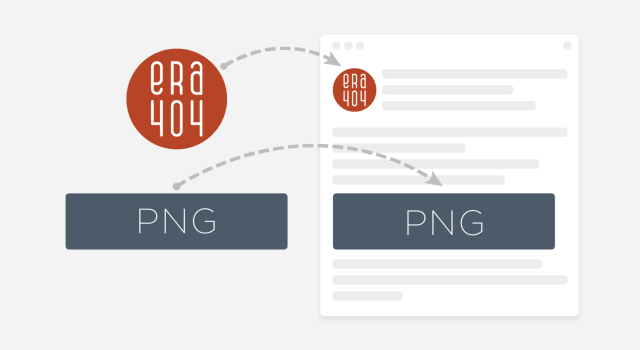
PNGPortable Network Graphic, an image with 32-bit color, used in places that require transparency

RFPRequest for Proposal, issued by companies to era404, seeking design or development work

RGBRed, Green, Blue, the colors on a computer monitor

SMARTSpecific, Measurable, Attainable, Relevant, & Timely. All era404 work is based on SMART Goals

SQLStructured Query Language, the language of relational databases, like MySQL and Oracle

Strategic UI/UXStrategic User Interface / Experience, sometimes referred to as Mechanicals or Wireframes

TIFF/TIFTagged Image File Format, a common graphics format for desktop publishing

URI/URLUniform Resource Indicator / Locator, commonly known as an address

UV CoatingUltra-violet coating, a paper’s clear varnish or finish cured with ultra-violet light

WYSIWYGWhat You See Is What You Getcontent editors that allow you to see what the content will look like before you publish, such as Adobe Dreamweaver

XMLExtensible Markup Language, a method to store and present data in a format readable by humans

Tags | acronyms, application, backronyms, design, development, dictionary, glossary, graphic design, guide, list, listing, recursive, thesaurus, web design, web development, website

23

May
2007

Information Resources

Permalink

By admin404

10 Questions Before Beginning Web Development

May 23, 2007 - Information Resources

What every prospective online homeowner should consider before breaking ground

When we’re approached about beginning a new Web presence, ecommerce system, or online application, era404 likes to pose 10 questions to our clients. This not only stirs up ideas to begin the process, it also allows all parties to fully explore what the process of Web development entails.

1. What are three words you would use to describe your business in terms of focus, pace and culture?
Oftentimes, the description of your business is identical to your Web site. If your business focus is technology, customer relations, politics or health, your site should have a similar feel. Is your pace is dynamic and fast-moving (like an online service or new product) or conservative and rock-solid (like a bank or a law firm)? Your business’s  culture (fun, friendly, approachable, professional, formal, methodical, meticulous) should also be represented in your Web site’s design.

2. What are the general purposes for your Web site?
Your site should have a primary and secondary purpose (and sometimes even a tertiary one). Purposes could be to increase sales and awareness, to assist in distribution of products or services, informational, educational, eCommerce, subscription-based marketing, customer feedback, ISO or employee intranet, employment postings, product support, entertainment or forums.

3. Will this site be part of an existing marketing strategy?
Does your business already have a marketing strategy in place with previous printed collateral material, web sites, or advertising campaigns? If it does, please send samples of these pieces to assist in ensuring the site works within the framework of your existing strategy. If it doesn’t, or if you’d like to deviate from your existing strategy, can you provide a description and/or examples of concepting for a new strategy? Would you be interested in working with ERA404 to develop this new cross-media campaign?

[ ] Yes, this site is part of an existing strategy.
[ ] No, this site varies from our existing strategy.
[ ] We currently do not have a strategy.
[ ] We’re developing a strategy in-house and will provide samples and a description.
[ ] We’re interested in working with ERA404 to develop a cross-media strategy.

4. What reactions (calls-to-action) are you hoping to achieve with this new Web site?
While this question hinges on #2 (general purpose), it’s important to outline your customer’s reaction to determine if the site is successful. If the site is information-based, this can be monitored with statistics. Other reactions could be: customer contact, online sales, forum/chat participation, increased customer retention, decreased phone, fax or email support calls, growth of marketing opportunities (mailing lists, newsletters, event participation and RSVPs), etc.

5. How do you plan on maintaining your site?
era404 provides a number of maintenance opportunities including an online content management system (CMS), maintenance contracts and on-site/telephone tutorials for manual site updates. If you plan on updating your site at regular intervals, which opportunities interest you?

6. The Competition

a. Do you have direct competition?
Providing ERA404 with links to competition sites enables us to gauge what your competition is doing, how they’ve been successful, how they’ve failed, and what makes your business different. Please list some links to competitor sites.

b. How are you different from competition?
If you have direct competition, please list why your business is different and what you do that makes your business unique. What do you do that is different from these other businesses?

7. Which existing site designs appeal to you?
Existing site designs do not have to be competition, nor do they have to even be in the same industry. List some sites that you feel satisfy your general purpose and embrace your company’s focus, pace and culture.

8. Aside from your calls-to-action, what are your short-term and long-term goals for this site?
Do you expect this site to grow, to have new sections, to have new features? Will this site work in tandem with other sites that your business may have? Do you expect changes in offerings, strategy or functionality?

While ERA404 designs all sites to be flexible, we believe pre-planning and preparation can assist in ensuring your site is cost effective and successful at attaining short- and long-term goals.

9. What additional materials do you have to assist us in providing you with an estimate and timeline?
Before beginning design and development, ERA404 provides site Mechanicals (wireframes) and Information Architectures (IAs) to describe site layout, pages and functionality. Do these materials already exist? Can you provide us with sample page content, photography, identity pieces and artwork? What is your estimated budget and site launch target?

[ ] Mechanicals
[ ] Information Architecture
[ ] Design Storyboards (GUIs)
[ ] Digital Content
[ ] Digital Identity
[ ] Artwork/Photography*
[ ] Budget: _________________
[ ] Launch Target: __________
[ ] Copywriter*

* If you do not currently have a copywriter or photographer, would you be interested in working with ERA404 to provide these services?

10. What are your expectations to deem this Web site a success?


For More Questions or Information

Contact ERA404 for more questions to get you going or for design and development estimates by clicking here.

Download Questionnaire

Click the link below to download our “10 Questions” survey. The file is a PDF, so you must have Adobe Acrobat Reader installed to view it. You’re also able to fill-out the form using Acrobat by simply clicking a form blank and entering text or clicking checkboxes. When finished, email or fax the completed questionnaire to ERA404 or print it for your records.

Download the PDF: era404_10_Questions


Tags | 10 questions, adjectives, audience, breaking ground, budget, business, citarella, competition, era404, goals, marketing, new web, questionnaire, strategy, success, web costs

19

Jul
2006

Information Resources

Permalink

By admin404

Flash Plug-In Detection and Upgrading

July 19, 2006 - Information Resources

Incorporating the SWFObject ExpressInstall to force Plug-in Installation

In our previous article (Activating an ActiveX Control’s Interface through Javascript), we recommended circumventing the Microsoft Internet Explorer update that forces users to activate media items with Geoff Stearns’s SWFObject. As a result, a number of emails flooded into ERA404 with questions on browser detection to drive users to upgrade their Flash Plug-In.

Flash has obviously grown quickly from its original version and Adobe/Macromedia released a number of browser plug-ins to handle these advances. While we recommend publishing Flash files to accommodate for the least common denominator (that is, users with older plug-ins), sometimes requesting a user browser upgrade is unavoidable. Browsing the Adobe site can show you a census of plug-in penetration into the web-browsing world. At the time this article was published (07/19/06), penetration looked like this:


V. 5 V. 6 V. 7 V. 8
US
97.7% 97.2% 94.8% 69.3%
Canada
98% 96.9% 94.1% 79%
Europe
98.3% 97.2% 95.1% 76.1%
Asia
n/a n/a n/a n/a


Adobe has recently released the Adobe Flash Plug-in v.9.0, and while roughly 94% of the world has at least v.7.0, your Flash files may require 8 or 9, to work properly. Note, also, that those figures are from March 2006 and penetration has certainly increased since then; especially now that myspace.com is forcing users to upgrade to Flash Player 9.0. Again, Geoff Stearns has come to the rescue with his ExpressInstall method for the SWFObject.

To detect and request an upgrade, encode your SWF file the same way we instructed in our previous article:

<div id="navcontent">This content will show if the movie cannot load.</div>
 <script type="text/javascript">
 // <![CDATA[
 var a = new SWFObject(swf/nav_home.swf", "fo_nav", "796", "72", "8,0,0,0", "#FFFFFF", true);
 a.addParam("allowScriptAccess", "sameDomain");
 a.addParam("quality", "high");
 a.addParam("scale", "noscale");
 a.write("navcontent");
 // ]]>
</script>

Add a parameter for the Flash redirect to tell the browser to reload your flash after installation is successful:

a.addParam('xiRedirectUrl', 'http://www.yourwebsite.com');

Now that you’ve properly inserted your Flash using the SWFObject, let’s look at how you can modify your Flash file to use the object’s plug-in detection and drive the user to upgrade if necessary. In the above example, you can see I’ve required a plug-in of 8 or greater. With the following code, users with a browser that meets or exceeds this requirement will see nothing but your movie. Users with an older plug-in (release previous to v.8.0) will see Flash Alert (left) that asks them to update their plug-in. If the user says “Yes,” the plug-in will install automatically. If they say “No,” a Javascript Alert will inform them that the movie cannot be viewed because a newer plug-in is required.

Remember from our previous article that when the SWFObject returns “false” (the movie cannot be displayed), then the text content that you provide in the <div> container will show instead. It is because of this that you should put text in the <div> container to inform them of what’s happening. The example above says “This content will show if the movie cannot load,” but it would be more informative (when you have the ExpressInstall included) to replace that content with something like this:

This Flash movie cannot load. You are viewing this because:
1. You have no Flash Plug-In (Click here to download)
2. Your Flash Plug-in is older than the necessary version required to play this movie
(Click here to reload the movie and click “Yes” when asked to upgrade your plug-in.)

Now let’s get to the Flash.

Include the following lines of code into your Flash file prior to the loading bar (optional) and content:

#include "expressinstall.as"
 
 // initialize the ExpressInstall object
var ExpressInstall = new ExpressInstall();
// if the user needs to upgrade, show the 'start upgrade' button
if (ExpressInstall.needsUpdate) {
// this is optional, you could also automatically start the
 // upgrade by calling ExpressInstall.init() here instead of the following lines
// attach the custom upgrade message and center it
var upgradeMsg = attachMovie("upgradeMsg_src", "upgradeMsg", 1);
upgradeMsg._x = Stage.width / 2;
upgradeMsg._y = Stage.height / 2;
// attach the button actions that will start the ExpresInstall updater
upgradeMsg.upgradeBtn.onRelease = function() {
 // the ExpressInstall.init() method is what kicks off the actual update
ExpressInstall.init();
}
 // if expressinstall is invoked, stop the timeline.
stop();
}

Ensure that Mr. Stearns’s expressinstall.as file is in your build directory so that it will be available to be compiled with the movie when you publish. That’s all you need to do.

Zeh Fernando, the genius behind zeh.com.br, recommends embedding the contents of Mr. Stearns’s expressinstall.as script into the timeline of a template Flash movie and saving this as your launchpad for all sites. Starting with a FLA that includes the ExpressInstall (and a stripped-down index.html file for which the .swf is to be “embedded”) will help to manage your scripts from inception to launch and make it easier for users.

Recommended Links

Tags | activex, adobe, citarella, deconcept, detect, flash plug-in, geoff stearns, macromedia, shockwave, swfobject, update, upgrade, zeh fernando

19

Jun
2006

Information Resources

Permalink

By admin404

Activating an ActiveX Control’s Interface through Javascript

June 19, 2006 - Information Resources

Removing the Marching Ants around SWF Files

As a result of the jury decision in Microsoft’s Eolas patent lawsuit, Microsoft created an Internet Explorer update that would force users to activate media items coded with “embed”, “applet” or “object” tags. The result of this decision is that while movies may play and function correctly in Firefox, Safari and other browsers, users must click Flash media to “activate” it and accept ActiveX alerts on pages containing Quicktime media.

A solution to this obstacle has been dutifully created and promoted by Geoff Stearns. His “SWFObject” (grab it here) is a simple Javascript which enables developers to embed Flash files into sites without using “embed”, “applet” or “object”.

For instance, we used to have our home page navigation coded like this:

<object classid="clsid:d27cdb6e-ae6d-11cf-96b8-444553540000" codebase="http://fpdownload.macromedia.com/pub/shockwave/cabs/flash/swflash.cab#version=7,0,0,0" width="796" height="72" id="nav_home" align="middle">
<param name="allowScriptAccess" value="sameDomain" />
<param name="movie" value="nav_home.swf" />
<param name="quality" value="high" />
<param name="bgcolor" value="#ffffff" />
<embed src="nav_home.swf" quality="high" bgcolor="#ffffff" width="796" height="72" name="nav_home" align="middle" allowScriptAccess="sameDomain" type="application/x-shockwave-flash" pluginspage="http://www.macromedia.com/go/getflashplayer" />
</object>

With Mr. Stearns’ SWFObject, the syntax is shorter and effective. In the head, we include his Javascript file:
<script type="text/javascript" src=js/swfobject.js"></script>

And in the body, we replace the object and embed tags with this:
<div id="navcontent"></div>
<script type="text/javascript">
// <![CDATA[
var a = new SWFObject(swf/nav_home.swf", "fo_nav", "796", "72", "7,0,0,0", "#FFFFFF", true);
a.addParam("allowScriptAccess", "sameDomain");
a.addParam("quality", "high");
a.addParam("scale", "noscale");
a.write("navcontent");
// ]]>
</script>

The SWFObject allows for you to add all the parameters of Adobe’s default export using the addParam function.

To make things better, you can still pass variables to and from the Flash from PHP by adding the FLASHVARS variable with Stearns’ addParam function.

For instance, our interior navigation, with the PHP/Smarty variables, looks like this:

<div id="navcontent"></div>
<script type="text/javascript">
// <![CDATA[
var a = new SWFObject(swf/nav_home.swf", "fo_nav", "796", "72", "7,0,0,0", "#FFFFFF", true);
a.addParam("allowScriptAccess", "sameDomain");
a.addParam("quality", "high");
a.addParam("scale", "noscale");
a.addParam("FLASHVARS", "section=‹$section›")
a.write("navcontent");
// ]]>
</script>

The resourceful Stearns’ provides the identical solution for embedding Quicktime movies to eradicate Microsoft’s ActiveX alert window.

Include his QTObject Javascript file in the head of your page:

<script type="text/javascript" src="js/qtobject.js"></script>

And modify the code for your Quicktime video to use his format:
<div id="video">
<script type="text/javascript">
// <![CDATA[
var myQTObject = new QTObject("reels/web.mov", "qo_web", "480", "376");
myQTObject.write();
// ]]>
</script>
</div>

Incorporating the add.Param function for Quicktime parameters, you can easily add poster movies and controller options the same way you would in Flash:
<div id="video">
<script type="text/javascript">
// <![CDATA[
var myQTObject = new QTObject("reels/reel_web_posterMovie.mov", "qo_web", "480", "376");
myQTObject.addParam("qtsrc", "reels/reel_web_posterMovie.mov");
myQTObject.addParam("href", "reels/web.mov");
myQTObject.addParam("target", "myself");
myQTObject.addParam("controller", "false");
myQTObject.write();
// ]]>
</script>
</div>

Recommended Links

SWFObject Download (zip)
QTObject Download (zip)
SWFObject Documentation
QTObject Documentation

Tags | activate flash, adobe, citarella, fix, fla, flash object, html, issue, macromedia, microsoft activex, patch, php, problem, quicktime embed, swf, swf object

16

Dec
2005

Information Resources

Permalink

By admin404

Online Site and Application Cost Sheet

December 16, 2005 - Information Resources

Some of the other factors that influence Web pricing

Outside of Web design and development, there are many factors that could influence your overall pricing. Below is a list of some of these factors, broken down by site type. Please note that this is not a complete listing, nor should it be used as a cost estimate. This resource is provided to increase awareness only. For a more comprehensive estimate for Web site and application costs, please contact an ERA404 representative here.

 CORPORATE / NOVELTY SITES (Non-ecommerce)

Domain Name Registration

~$8 – $25/yr

If you’re interested in owning mysite.com, you’ll need to lease that name from an online domain name registrar. This enables you to have control over that User Registry Listing (URL) or Domain Name.

Examples: networksolutions.com, godaddy.com

DNS Hosting

~$25 – $100/yr

Each server has a unique Internet Protocol (IP) address that identifies it from other servers. DNS Hosts provide access to databases which translate your URL (mysite.com) to the server’s IP address (66.33.204.50). This way, when a user types in your URL, they are connected to the correct server. If you consider the database to be a telephone book for the Internet, DNS hosts are the operators.

Examples: networksolutions.com, tzo.com

Web hosting

~$100 – $1200.00/yr

Web hosts provide storage space for you to house your Web site or application. Imagine that they are your virtual landlord. Pricing for Web hosts varies as much as pricing for apartment rentals.

Examples: ERA404.net, rochenhost.com, servermatrix.com

 ECOMMERCE SITES

Payment Gateways

~ $300/yr

Payment Gateways allow for credit card processsing to take place. Their services include verification of existing and operational accounts (with Credit Card Associations or Customer Issuing Banks), verification of funds, billing address & information, and transaction. Payment Gateways traditionally have an initial set-up fee ($150 – $300) and a limit to monthly transactions (500) which has occurance costs ($.10) for each transaction over the limit.

Examples: Verisign, Authorize.net, 2checkout.com

Internet Merchant Accounts (Provided by Acquiring Banks)

Various

Internet Merchant Accounts are the same as standard business merchant accounts and are provided by banking institutions. These accounts accept the transfers of funds from the Payment Gateway and ultimately receive the payment from online consumers.

Discount Rates, or percentages of each sale (2 – 5%), fees for manual transactions (rather than online purchases), etc.

Examples: Merchant E-Solutions, Wells fargo

Static IP

~$120-300/yr

The difference between a static Internet Protocol (IP) and a dynamic IP is consistency. Every time a user is routed to your site, they’ll always be accessing the same IP. Dynamic IPs are assigned and reassigned regularly depending on the host. All ecommerce sites require static IPs, which cost approximately $15/month.

Secure Socket Layer (SSL)

~$50 – 350/yr

Secure Socket Layer Encryption is the industry standard for all ecommerce and ebanking sites. It’s packaged in with browsers to ensure that data being transmitted is readable to its intended recipient only.

Examples: verisign.com, instantssl.com


For More Information

Contact ERA404 for more information on other costs that may be associated with ecommerce and non-ecommerce sites or design and development estimates by clicking here.

Tags | application costs, citarella, corporate, dns hosting, ecommerce, internet merchant accounts, novelty, online site, payment gateways, secure socket layer, static ip, web hosting

28

Jun
2005

Information Resources

Permalink

By admin404

But I’m Not Spam

June 28, 2005 - Information Resources

Preventative measures can help your emails from becoming false positives

Your contacts are primarily made of people who’ve asked you to contact them or people who would be interested in receiving your emails.

However, some of these contacts may have Spamblocking services that could mis-interpret your emails as Spam. This is far worse than a contact just not receiving an email. If your Internet Protocol (IP) is added to a Spam Sender list because of this, it may stop ALL emails from being received.

Unfortunately, these “false positives” have to exist to allow spam-blocking systems to function. But there are a number of methods you could employ to dramatically lessen your chances of being marked as spam. Please avoid the following when creating emails:

  1. Body of message incorporates a tracking ID number
  2. Body of message contains a large block of hexadecimal code
  3. Body of message contains one or more lines of “YELLING” (i.e., all-caps)
  4. Message includes Microsoft executable program
  5. Message body has at least 70 percent blank lines
  6. Message header indicates message was sent directly from dynamic IP address
  7. Message From field appears to not contain a real name
  8. Message From field ends in numbers
  9. Message header contains numbers mixed in with letters
  10. Message subject includes the term “offer”
  11. Message to: field contains spaces
  12. Message Reply to field is empty
  13. Subject has exclamation mark and question mark
  14. Subject is ALL-CAPS
  15. Message subject starts with an advertising tag
  16. Message From: field contains the term “friend”
  17. Subject contains “As Seen”
  18. Subject starts with dollar amount
  19. Subject contains “Double Your”
  20. Subject contains “For Only”
  21. Subject contains “FREE”
  22. Subject contains “Free Instant”
  23. Message contains excessive images without much text
  24. Message body contains the term “nobody’s perfect”
  25. Message body claims not to be spam

Questions?

Contact ERA404 for more questions about preventing your mail from looking like spam. Click here.

Tags | false positives, methods, resource, spam, spamblocking, tips, tricks